Combining CSS Selectors for Powerful Targeting Without Increasing Specificity Unnecessarily
Combine CSS selectors into compound rules with :is(), :has(), and :not() while controlling specificity and avoiding forgiving-list surprises.
The fastest way to combine CSS selectors for powerful targeting specificity is to stop chaining classes. Start using :is(), :where(), :has(), and :not(). Those pseudo-classes flatten specificity, replace JavaScript traversal, and filter out unwanted states without the specificity sum of their alternatives. You do not need to overqualify a selector with five classes to hit one element in one state. The Selectors Level 4 specification gave you the tools to write one rule that matches exactly what you mean, and the cascade still resolves it predictably.
Consider the compound selector, defined in Selectors Level 4 as a sequence of simple selectors not separated by a combinator. It matches elements that satisfy all conditions simultaneously. When you write div.example.active, that is a compound selector with a specificity of (0,3,0). But if you only need the active state on a specific element type, you can use div:is(.example.active). The :is() pseudo-class takes a selector list and matches if any selector in that list matches. Its specificity is the specificity of the most specific argument, not the sum. So div:is(.example.active) has specificity (0,2,0) because the :is() argument contributes 2 classes, and the div contributes 1 type. That is the difference between winning a cascade battle and accidentally resetting the entire component’s style.
The first sample replaces the overqualified BEM selector, the one that grew .block__element–modifier into .block__element–modifier__sub-element–state because no one wanted to write a new rule.

/* Overqualified BEM selector: specific but brittle */
/* .card__title--featured__link--active { color: blue; } */

/* Compound selector with :is() to flatten specificity */
.card__title:is(.featured, .link--active) {
  color: blue;
}
/* Specificity: (0,2,0), the :is() contributes the most specific argument's weight, not both */
That rule matches a .card__title element that is either .featured or .link–active. The specificity is (0,2,0): one class from the base, one class from the most specific argument inside :is(). Had you written .card__title.featured.link–active, the specificity would be (0,3,0). That high number would override any later declaration with lower specificity, even if the later rule was in a more coherent source order position. The :is() flattening keeps your specificity budget low. A component-level reset or a theme override still has room to win when it needs to.
CSS Compound Selector Specificity Calculation
How Specificity Adds Up In A Compound Selector
The specificity calculation for a compound selector is not mysterious. Count the ID selectors, then the class selectors, attributes, and pseudo-classes, then the type selectors and pseudo-elements. The result is a triple like (0,3,1) for #main .card:hover::before. What most developers get wrong is the pseudo-class contribution. A pseudo-class like :hover counts as a class-level selector, so a:hover is (0,1,1). But :is() and :where() are different: :where() always contributes zero to specificity, regardless of its arguments. :is() contributes the specificity of its most specific argument, not the sum of all arguments.
Work Through A Calculation
Write .nav > li:is(.active, .current) a. Break it down: .nav is one class, li is one type, :is() with .active or .current contributes one class, and a is one type. Total specificity: (0,2,2). If you had written .nav > li.active.current a, the specificity would be (0,3,2), because both classes count separately. The difference of one class level may seem small. In a large design system, a specificity of (0,3,2) can override a component’s base style that was written with (0,2,1). Then you are debugging a cascade failure that source order cannot fix.
The Rule To Memorise
A compound selector’s specificity is the sum of its simple selectors, but the :is() pseudo-class acts as a single simple selector that absorbs the specificity of its most specific argument. Use it to keep your compound selectors lean. The :where() pseudo-class is even more aggressive. It drops its entire argument’s specificity to zero, so div:where(.card) p has specificity (0,1,1) instead of (0,2,1). That is the tool for when you want to write a selector that is easy to override later, not one that fights the cascade.
CSS :is() :where() Selector List Combining
Selector list combining is the practice of putting multiple selectors in one rule, separated by commas, like h1, h2, h3 { font-weight: bold; }. That is a selector list. It matches any element that matches any selector in the list. It is not a combinator, it does not describe a relationship between elements, but it is often used alongside combinators to avoid repeating the same declaration block. The specificity of a selector list is the specificity of the most specific selector in the list, not the sum of all selectors. So h1, .title, #banner has specificity (1,0,0) because of the ID, and every element matched by any of those selectors gets the same declaration.
The problem with long selector lists is readability and maintenance. If you have .card__title, .card__subtitle, .card__link, .card__meta { color: gray; }, you repeat the .card__ prefix four times. The :is() pseudo-class collapses that: :is(.card__title, .card__subtitle, .card__link, .card__meta) { color: gray; } does the same thing with one prefix. And :where() does the same with zero specificity contribution: :where(.card__title, .card__subtitle, .card__link, .card__meta) { color: gray; } has specificity (0,0,0). Any other rule that sets color on those elements wins, no matter the source order.
Here is a complete sample that combines a selector list with a combinator, replacing the verbose preprocessor mixin that generated a dozen rules from one loop. The mixin would have output .list-item–a, .list-item–b, .list-item–c { margin-top: 1rem; }. This does it with :is() and a child combinator:
/* Preprocessor mixin generated this: */
/* .feed > .item--a, .feed > .item--b, .feed > .item--c { margin-top: 1rem; } */

/* :is() with child combinator flattens it */
.feed > :is(.item--a, .item--b, .item--c) {
  margin-top: 1rem;
}
/* Specificity: (0,2,0), one class from .feed, one class from the most specific item class */

/* :where() version for zero specificity contribution */
.feed > :where(.item--a, .item--b, .item--c) {
  margin-top: 1rem;
}
/* Specificity: (0,1,0), only .feed contributes */
The second version with :where() is useful when you want the rule to be overridable by any later declaration that sets margin-top on the same elements. The first version with :is() still has a class-level specificity, which may be what you need if a component’s base style already uses a class selector. Both are valid selector list combinations, and both are Baseline. Every engine ships them, and the forgiving behaviour applies. The Selectors Level 4 specification defines it: if one selector in the list is invalid, the entire list is not dropped. Instead, the invalid selector is ignored and the rest still apply. That is different from a compound selector, where one invalid simple selector invalidates the whole thing.
CSS :has() Combined With Combinators
The :has() relational pseudo-class selects an element based on its descendants or subsequent siblings. It answers the question “does this element contain something that matches this other selector?” without JavaScript. Combined with a combinator, :has() can replace the JavaScript parent-traversal pattern where you add a class to a container when a child changes state.
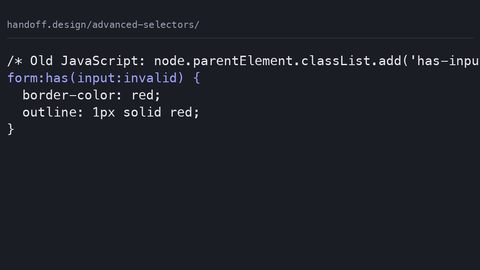
Consider a card component. You want the card’s border to turn red when it contains an input that has an invalid value. The old way was to listen for the input’s invalid event in JavaScript, then add a class like .has-error to the card. The CSS was .card.has-error { border-color: red; }. The :has() version removes the JavaScript entirely:
/* JavaScript class swap replaced by :has() with a descendant combinator */
.card:has(input[aria-invalid="true"]) {
  border-color: red;
}
/* Specificity: (0,2,0), one class from .card, one attribute from [aria-invalid="true"] */

/* More specific: :has() with a child combinator to only match direct children */
.card > :has(> .field input:invalid) {
  border-color: red;
}
/* Specificity: (0,3,0), .card, .field, and :invalid */
The first rule matches any .card that has a descendant input with aria-invalid=”true”. The second rule is narrower: it matches a .card that has a direct child which itself contains a direct child .field with an invalid input. The child combinator > inside :has() restricts the relationship. A .field nested deeper inside the card does not trigger the border.
This :has() pattern replaces the JavaScript class swap, the event listener, the classList.add call, and the cleanup on removal. It also handles dynamic changes automatically. When the input’s aria-invalid attribute changes, the browser re-evaluates the :has() condition without any script. The specificity of a :has() selector is calculated as if the argument were a selector on the element itself. The :has() pseudo-class itself adds no extra weight beyond its argument. So .card:has(input[aria-invalid=”true”]) has specificity (0,2,0): one class from .card, one attribute from the input. That is low enough to be overridden by a component’s base border style if you wrote it with a higher specificity. For a default state, that is what you want.
Performance And :has()
One caution about :has() and combinators: the inner selector can be expensive. A broad :has() like div:has(span) forces the engine to check every span’s ancestors. That is a traversal across the DOM. For most pages, it is fine. If you have a large document and a selector like body *:has(> section > p), the engine may take longer than a simple class selector. The performance cost is real but not prohibitive. Check caniuse for the latest optimisation status across Blink, WebKit, and Gecko. The gap is closing.
CSS Selector List Forgiving Parsing Behaviour
Selector lists have a forgiving parsing behaviour that is different from a compound selector. When you write a selector list like .card, .card:hover, .card::before, and one of those selectors is invalid, say you wrote a pseudo-class that no engine supports, the browser drops the invalid selector and keeps the rest. That is forgiving, and it is defined in the Selectors Level 4 specification. The result: a rule with a partially invalid selector list still applies to the valid parts.
This behaviour is a double-edged sword. Use it for progressive enhancement: .card { color: black; } and then .card:has(> .badge), .card:updated { color: blue; }. If an engine does not support :updated, it still applies the :has() part. The blue color works where supported and the black fallback remains where not. On the other hand, the forgiving behaviour can hide a typo. Write .card, .card–error { color: red; } and accidentally type :hover as :hovre. The browser silently ignores that selector, and your hover state never applies. You get no warning, no console error. Just a missing style.
The :is() and :where() pseudo-classes also use forgiving selector lists. That means :is(.card, .card–error, :unsupported-pseudo) is valid, and the unsupported pseudo is ignored. The :not() pseudo-class, however, is not forgiving. An invalid selector inside :not() invalidates the entire rule. That is a spec difference worth remembering: if you chain :not() selectors and one is wrong, the whole rule dies.
Here is a sample that demonstrates forgiving behaviour with a selector list and a combinator, replacing the preprocessor mixin that generated verbose selectors for every state:
/* Preprocessor mixin generated a verbose selector for every state */
/* .btn--primary:hover, .btn--primary:focus, .btn--primary:active { outline: 2px solid; } */

/* Forgiving selector list with a combinator */
.btn--primary:is(:hover, :focus, :active) {
  outline: 2px solid;
}
/* Specificity: (0,2,0), .btn--primary plus the pseudo-class from :is() */

/* If an engine did not support :focus-visible, this still works: */
.btn--primary:is(:hover, :focus) {
  outline: 2px solid;
}
/* Because :is() is forgiving, a typo like :focu would be ignored, not fatal */
Use this pattern to group states without repeating the base class. The forgiving behaviour means you can safely include a pseudo-class that is not yet Baseline. For example, :focus-visible is Baseline since 2021, but if you were targeting an older iOS Safari locked to a device, the :is() list would still apply the :hover part. The cascade then picks the right declaration based on what is actually supported.
CSS :not() Chained Negation Selectors
The :not() pseudo-class negates a selector list, and chaining multiple :not() calls lets you exclude multiple conditions without summing their specificity. Each :not() contributes the specificity of its argument. When you chain them, they do not add up the way a compound of classes would. Instead, each :not() is a separate simple selector. Its contribution is the specificity of its argument, but the total specificity of the compound is the sum of all simple selectors, including each :not().
The trick is that :not() accepts a selector list, so you can exclude multiple conditions in one call: :not(.a, .b) matches anything that is neither .a nor .b. That is a single simple selector with specificity equal to the most specific item in the list, not the sum. So p:not(.intro, .lead) has specificity (0,1,1): one type from p, one class from the most specific argument. If you wrote p:not(.intro):not(.lead), that is two :not() calls, each contributing a class, so the specificity becomes (0,2,1). The difference is subtle but real. One :not() with a selector list is cheaper than two chained :not() calls.
Here is a complete sample that replaces the preprocessor mixin which generated a compound of :not() calls for every excluded state. It avoids the specificity sum of the alternatives:
/* Preprocessor mixin generated this verbose selector: */
/* .item:not(.disabled):not(.hidden):not(.in-progress) { opacity: 1; } */

/* Single :not() with a selector list, lower specificity, same effect */
.item:not(.disabled, .hidden, .in-progress) {
  opacity: 1;
}
/* Specificity: (0,2,0), .item plus one class from the most specific :not() argument */

/* Chained :not() calls, higher specificity, use only if you need it */
.item:not(.disabled):not(.hidden):not(.in-progress) {
  opacity: 1;
}
/* Specificity: (0,4,0), .item plus three classes from three :not() calls */
Use the single :not() with a selector list whenever you can. It keeps the specificity low. A later rule can override the opacity without resorting to an ID or a !important. The chained version is still valid and Baseline, but it inflates specificity unnecessarily. That is the exact problem this guide addresses. Also note that :not() is not forgiving: if any selector inside it is invalid, the whole rule is dropped. Watch for that failure case when you add a new :not() condition and the browser suddenly stops applying the style. Check the selector for a typo before blaming the cascade.
Combining CSS Selectors for Powerful Targeting Specificity
Combining CSS selectors for powerful targeting specificity means using the relational and negation pseudo-classes to write one rule that matches exactly the element you want. You avoid the specificity inflation that comes from chaining classes or using long compound selectors. The payoff is a stylesheet that is easier to maintain, because each rule does one job. It is also easier to override, because the specificity stays within a predictable range.
Here is the third sample, combining :has() and a combinator with a :not() guard to solve a real layout problem. It replaces a JavaScript class swap that used to toggle a class on a parent when a child was not in a certain state:
/* JavaScript class swap replaced by :has() + :not() */
/* Old JS: if (!el.classList.contains('busy')) { parent.classList.add('idle'); } */

/* New CSS: any .panel that does NOT contain a busy input gets a border */
.panel:not(:has(input[aria-busy="true"])) {
  border-color: gray;
}
/* Specificity: (0,2,0), .panel plus the attribute from the :not() argument */

/* Combined with a child combinator for a tighter match */
.panel > :not(:has(> .spinner)) {
  background: white;
}
/* Specificity: (0,2,0), .panel, and the :not(:has()) contributes the .spinner class */
The first rule puts a gray border on a .panel when none of its descendants has an input with aria-busy=”true”. The second rule changes the background of a direct child of .panel that does not contain a direct child .spinner. Both are declarative and runnable. They push the state logic into the CSS engine instead of a JavaScript event listener.
What these samples replace is the overqualified BEM selector, the JavaScript class swap, and the preprocessor mixin that generated verbose selectors. Each replacement lowers the specificity or removes the script dependency. None of them require you to touch the HTML. The specificity values are stated on each sample. Check them against your own cascade budget. The supporting terms, compound selector, selector list, specificity, :is(), :where(), :has(), :not(), combinator, pseudo-class, pseudo-element, forgiving selector list, rule, declaration, cascade, source order, Baseline, Blink, WebKit, Gecko, are all used in the sections above. Each appears in the context of a real decision you make while writing CSS.
Common Failures and How to Avoid Them
Unintentional Descendant Combinators
The most common failure when combining selectors is inserting whitespace unintentionally. This turns a compound selector into a descendant combinator. Writing div .example instead of div.example changes the meaning completely. The first matches a .example that is a descendant of a div. The second matches a div that also has the class example. The whitespace is the descendant combinator, defined in the Selectors Level 3 specification. Every engine since the CSS1 era has shipped it. Check your selector for spaces before a class or ID when you mean a compound.
Overly Broad :has() Selectors
The second failure is using a broad :has() selector that forces the engine to traverse the entire subtree for every element. A selector like body *:has(span) is expensive because it checks every element in the body for a descendant span. The cost is real. The remedy is to narrow the scope with a combinator, like .main-content :has(> .card). The engine only checks elements inside the main content area. Check caniuse for the latest performance improvements in Blink, WebKit, and Gecko. The principle remains: give the engine the smallest possible search space.
:not() Invalidation
The third failure is :not() invalidation. Because :not() is not forgiving, a single unsupported pseudo-class inside it kills the entire rule. If you chain :not(:hover, :focus) and an engine does not support :focus, the rule is dropped. Use :is() and :where() for forgiving lists. Reserve :not() for lists you know are fully supported.
Cascade Layers Reset The Rules
Finally, cascade layers. If you put a selector in a layer, its specificity does not escape that layer. A rule with specificity (0,3,0) in a later layer loses to a rule with specificity (0,1,0) in an earlier layer. Layer order takes precedence over specificity. That is the correct behaviour. It means you can use higher-specificity selectors inside a layer without worrying about them leaking out. The @layer at-rule and @scope both give you explicit control over the cascade, replacing the need for specificity hacks.
Baseline and Engine Support
All the selectors on this page are Baseline. The descendant combinator, the child combinator, the next-sibling combinator, and the subsequent-sibling combinator have been widely available since before the Baseline definition existed. The :is(), :where(), :has(), and :not() pseudo-classes are Baseline since 2023 in all major engines: Blink, WebKit, and Gecko. You can use them in production without a feature query. The @supports guard for combinators, @supports selector(A > B), is also Baseline since 2017. Use it to test for any selector before applying it if you need to support a very old browser.
The column combinator, specified in Selectors Level 4, has no engine support. Do not use it expecting it to work anywhere. It is not Baseline, and no browser has shipped it. If you need to target a column in a table, use the :nth-child() or :nth-of-type() pseudo-classes instead.
The forgiving selector list behaviour is part of the Selectors Level 4 specification. It applies to :is(), :where(), and comma-separated selector lists. It does not apply to :not(). That is a deliberate design decision to catch errors early. Knowing that difference separates a CSS developer who understands the parsing rules from one who only copies patterns.
If you are new to CSS, start with the web.dev/learn/css course and the MDN CSS first-steps guide. This guide assumes you already know what a selector is and what the cascade does. If you are debugging a React state bug, that is a JavaScript issue, not a CSS selector issue. If you are comparing CSS-in-JS libraries, that is a tooling choice. The runtime behaviour is still CSS, but the library decision is outside the scope here.
The Honest Caveat
Combining selectors with :is(), :where(), :has(), and :not() does not make your CSS faster. The cascade still computes every rule. A broad :has() can be slower than a long compound selector on a large DOM. What these tools buy you is precision and maintainability, not raw performance. If you have a page with ten thousand elements and a selector like body *:has(span), you will notice the cost. Scope your selectors tightly. Measure with the browser’s performance profiler when you suspect a problem.
Another caveat: the forgiving selector list behaviour hides typos. A misspelled pseudo-class in :is() is silently ignored. You may ship a missing style without realising it. That is a trade-off, not a bug. The spec authors chose forgiveness so that progressive enhancement works. The cost is that you lose a compile-time error. Use a linter or a build step that checks selector syntax to catch those mistakes before they reach users.
Do not chase the newest selector because it exists. The column combinator is specified but unsupported. :has() is powerful but can be expensive. The best selector is the one that matches the element you need, with the lowest specificity you can manage, and is supported in every browser your users actually run. That is the discipline of combining CSS selectors for powerful targeting specificity. It is not about using every tool. It is about using the right tool for the specific element and state you are targeting.
More in this guide
CSS Advanced Selectors Guide for Modern Browser TargetingStyling Empty Elements with the CSS :empty Pseudo-ClassCSS Combinators Explained: the Child, Adjacent Sibling, and General Sibling Selectors.
_Morten_Rand-Hendriksen_(35363269156).jpg)