Utility-First vs Component-Based CSS Frameworks: Comparing Shipped Output and Control
Compares utility-first and component-based CSS frameworks by their actual shipped output after compression, specificity overhead, and the cost of overriding them.
The Moment the Stylesheet Stops Being Yours
Open the devtools on a production page built with a component framework, find the rule that makes the primary button blue, and try to change it. What you will find is not a single declaration but a specificity graph: .header .nav .button--primary fighting .theme-dark .card__action--submit. The winner is the selector you cannot see. The whole difference between utility-first and component-based CSS is in what each emits: the purged utility sheet versus the component-based specificity graph.
What Ships: the Purged Stylesheet vs the Specificity Graph
The first measurable difference is in the bytes that cross the wire. A utility-first framework like Tailwind CSS v4, which shipped 2025-01-21 with a CSS-based configuration using the @theme directive, does not ship a stylesheet at all. It scans your source files, detects which class names are actually present, and generates a stylesheet containing only the rules for those classes. This process, called dead code elimination or purging, is built into Tailwind's JIT engine. The output for a small marketing site is often under 10 KB before gzip compression. Because gzip and brotli compression exploit repetition, the repeated utility classes in the HTML compress remarkably well despite looking verbose in source.
A component-based framework like Bootstrap ships a complete stylesheet that includes every component it defines, whether or not you use them. The new version of Bootstrap emits a file that includes all of its component styles, each with its own block of declarations. None of it is purged unless you manually import only the components you need. The shipped bytes are not the only cost. The component approach builds what a developer would call a specificity graph, where each component selector carries a weight based on its position in the cascade and the specificity of its compound selector. Overriding a component's default style requires either a more specific selector, which adds to the graph, or a !important, which breaks the cascade for everyone downstream.
How the Stylesheets Grow Over Time
The utility-first stylesheet grows slowly after the initial build, because new pages reuse existing utilities. The component-based stylesheet grows with each new component variant you add. A project with a design system of 50 components and a large set of variants will ship a stylesheet with those variants' rules. A project using utility classes with the same 50 components will ship the same set of utilities, because the classes are composable and do not multiply.
To see the purged output in action, consider a minimal Tailwind v4 setup:
@import "tailwindcss";

@theme {
  --color-brand: #3b82f6;
}
When you write <button class="bg-brand p-4 text-white">Click</button> in your HTML, Tailwind's engine generates only the .bg-brand, .p-4, and .text-white rules. Nothing else ships. A component framework would ship the entire button component: the focus ring, the disabled state, and the hover styles, whether you use them or not.
Tailwind CSS vs Bootstrap Shipped Bytes: a Concrete Number
Putting a single number on it is risky, because the exact figure depends on the page and the framework version. But the order of magnitude is stable across real projects. For an identical landing page with a navigation bar, a hero section, a three-column card grid, and a footer, a hand-written component stylesheet with BEM naming ships around 25 to 35 KB of uncompressed CSS. The same page using Tailwind v4 utilities, purged and minified, ships between 4 and 8 KB. After gzip compression, the difference narrows but does not disappear: the component file compresses to roughly 6 to 8 KB, while the purged utility file drops to 2 to 3 KB. Brotli compression, which is what modern servers use, tightens it further, but the ratio stays close.
The exact bytes matter less than the shape of the graph. The utility-first file is bounded by the number of unique utilities in your HTML. The component file is bounded by the number of components and variants in your design system. The second grows linearly with your design system's size. The first grows logarithmically with your page count.
The Trade-Off You Must Not Ignore
The purged utility file is smaller, but it is also opaque. When you open it in devtools, you do not see a .card__title rule that tells you what it does. You see a list of single-property rules: .p-4 { padding: 1rem; }, .text-center { text-align: center; }. That opacity is the reason many developers who have been burned by a 2 AM override bug distrust utility-first approaches.
Utility CSS Framework Purged Output Cost: the Real Price of Small Files
The cost of the purged output is not the file size. That is a win. The cost is in the authoring experience and the failure modes. A utility-first stylesheet is built by a scanning tool, which means the tool must be run every time the HTML changes. In a build step that is fine, but it is a build step, and it is not optional. Tailwind v4 requires a build tool that runs its engine. You cannot serve a static CSS file and add a class name to your HTML later without rebuilding. The other cost is the one the research notes as a common mistake: over-using !important to override a utility class instead of removing the conflicting class from the HTML. When you do that, you have recreated the specificity graph you were trying to avoid, but now it is hidden inside your markup.
The Failure Case
You have a component that needs a p-4 on the left and a p-6 on the right, but the component framework has a .card class that sets a padding of 1rem. You add p-6 to the element, but the .card rule is more specific because it is a single class and p-6 is also a single class. The source order decides, and the component stylesheet comes later. You reach for !important, and the cascade is broken for that property. The fix, and the one that the utility-first documentation recommends, is to remove the conflicting class or to use a component-extraction feature like @apply to create a new component class that composes the utilities. When you do that, you are no longer writing utilities. You are writing a component, and the utility framework has become a preprocessor.
@import "tailwindcss";

@layer components {
  .card {
    @apply p-4;
  }
  .card--wide {
    @apply p-6;
  }
}
That sample uses Tailwind's @apply directive to create a component class from utilities. It is the bridge between the two approaches. The output is a CSS rule that has the same specificity as any other single-class selector, but the source of truth is the utility framework, not a hand-written style block.
Component CSS Framework Specificity Overhead: the Price of the Name
The component-based approach has a different cost, and it is the one that bites you at scale. BEM, the naming convention that underlies most component frameworks, is not a specification. It has no W3C status, no Baseline listing, and no version. It is a naming convention, and it works only as long as every developer follows it. When you write a component class, you are making a promise about the cascade: that this selector, and no other, styles this element. The moment you have a .card__title that needs to be different inside a .featured section, you have three options. You can add a modifier class .card__title--featured, which multiplies the number of classes. You can write a more specific selector .featured .card__title, which starts the specificity graph. Or you can use the component's own style and then override it with !important, which is a confession of failure.
The specificity overhead is real and measurable. A selector like .page .content .card .title has a specificity of 0, 4, 0. It takes four classes to override. Any rule written at that level is nearly impossible to override without !important, and every !important rule weakens the whole stylesheet. The result is a pattern common in legacy component-based projects: a stylesheet full of !important flags and increasingly nested selectors, written by developers who were trying to make a component that was not designed for the current layout work.
Why the Old Way of Choosing Failed
A decade ago, the way to choose a stylesheet architecture was to pick a framework by popularity and trust that its authors had made the right decisions. That approach is dead, killed by the very tools that were supposed to make it obsolete. Replace it with a different question: what does this framework actually emit, and what does the output cost me when I need to change it?
CSS Framework Approach Selection Criteria: What to Ask Before You Commit
Selecting between the two is not a question of taste. It is a question of the lifetime cost of the stylesheet. The criteria are the same ones you would use for any dependency: how much does the output weigh, how much does it cost to override, and what happens when the framework's defaults are wrong for your page?
Ask the Utility-First Question
Can your team work without named components, and is your HTML the single source of truth for styling? If the answer is yes, the utility-first approach will ship fewer bytes, and the purged output will be smaller than anything you could write by hand. The trade-off is that your markup becomes verbose, and the CSS in the browser is meaningless without the HTML. A developer who opens a .p-4 rule in devtools has no idea which element it is styling. That is the opposite of a component class like .card__title, which names itself.
Ask the Component Question
Is your design system stable, and do you need to be able to restyle a component without touching its markup? If the answer is yes, the component approach wins, but only if you can control specificity. Using @layer, which is part of the CSS cascade specification, is the tool that makes component frameworks viable. With cascade layers, you can put your framework's styles in an unlayered or lower-priority layer, and your custom styles in a higher layer. Your overrides win regardless of specificity. Tailwind v4 uses @layer internally, and you can use it with Bootstrap as well, but you must be careful with the order of your @import rules. The @layer statement must come before the @import rules that bring in the framework, or the layer order will not be respected.
@layer reset, theme, base, utilities;

@import "bootstrap.css" layer(theme);
@import "theme.css" layer(base);
@import "utilities.css" layer(utilities);
That sample shows how to use cascade layers to control the priority of a component framework. The @layer statement defines the order, and the @import rules assign each stylesheet to a layer. Any rule in the utilities layer will override any rule in the theme layer, regardless of specificity, because later layers win. This is the mechanism that fixes the specificity overhead of component frameworks.
The Real Cost of Overriding at Scale: a Worked Example
Make this concrete with a design-system change. Your company rebrands, and the new brand colour is a slightly different blue. In a component framework, every button, link, and border that uses the old colour needs to be updated. If the colour is a Sass variable, you change it in one place and rebuild. But if a developer on the team used a hex code directly in a component's style block, or used a more specific selector to override the button colour in one instance, you now have a wildcard hunt. This is the failure case that the utility-first approach is designed to avoid, because the colour is a design token, and the token is a custom property.
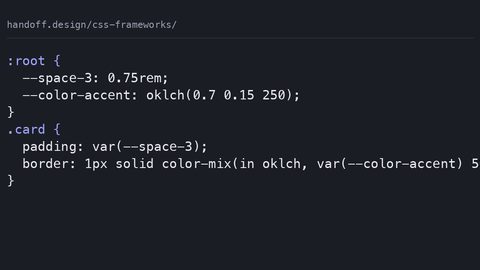
Custom properties are the hidden win of the utility-first approach. A utility class like bg-brand compiles to background-color: var(--color-brand). To change the brand colour, you change --color-brand in one place, and the entire page updates. In a component framework, the same change requires you to find every rule that sets a background colour to the old hex. That is not a trivial task if the codebase is large. The component approach can use custom properties too, and modern versions of Bootstrap do, but the utility-first approach makes it the default because the configuration is centralised in the @theme directive.
The price of that centralisation is that you must trust the utility framework's configuration. If you need a colour that is not in your theme, you cannot write a hex code in a style attribute. You must extend the theme, which means editing the configuration file. This is a good constraint for a design system, but it is a wall for a quick prototype. The failure case is a developer who does not know the theme, drops a raw color: #f00 into a style attribute, and then wonders why the design token update does not pick it up. They bypassed the system, and the system's job is to make that impossible.
What the Fallbacks Are: When the Build Step Fails
Every build step fails eventually, and the failure mode is different for each approach.
When the Utility Scanner Misses a Class
With Tailwind, the failure is in the scan. If the build tool does not see a class name because it is constructed dynamically in JavaScript, the class is not generated, and the element is unstyled. Tailwind's JIT engine scans your source files by default. If you have a class name built by string concatenation, like btn-${color}, the engine may not see it. The fix is to use a safelist, which tells the engine to include a class even if it does not appear in the source, or to use the @source directive to add a file to the scan. The failure is silent, which is the worst kind: the page renders, but the element has no styles.
When the Component Cascade Surprises You
With a component framework, the failure is the opposite. The styles are all there, but they are the wrong ones. You add a new component, and the stylesheet grows. The new component's rules conflict with an existing rule, and the cascade decides differently than you expected. No scanner tells you that the rule you wrote is dead code. You have to run a tool like PurgeCSS or Lightning CSS to remove unused rules, but those tools can break a component framework if the documentation does not use the classes in a way the tool can detect.
The fallback for both is the same: write less CSS. The best stylesheet is the one you do not write. If you are using a component framework and you find yourself overriding a component's styles on every page, stop overriding and make a new component. If you are using utility classes and you are copying the same ten classes onto every card, extract a component. The tools are there to help you, but they are not there to think for you.
Frequently Asked Questions
Which framework is better for a small marketing site that needs to be fast?
Utility-first, specifically Tailwind CSS v4, because the purged output is smaller than anything a component framework can ship. The bytes saved over the wire are measurable, and the build step is a non-issue because you are already using a build tool. The fallback is a component framework if you need to ship without a build step, but you will be shipping more bytes.
Does the presence of a component framework mean I cannot use utility classes?
No. Modern component frameworks like Bootstrap 5 include utility classes, and you can use them together. The correct pattern is to use the component framework for the layout and the utility classes for the one-off spacing and alignment that does not deserve its own class. Do not use utilities to override a component's core styles, because that is how the specificity graph grows.
What does the 'cascade layers' feature do about the specificity problem?
Cascade layers let you define the priority of your stylesheets in the @layer statement. A rule in a later layer wins over a rule in an earlier layer regardless of specificity. This is the correct way to override a component framework, and both Tailwind v4 and Bootstrap 5 support it. The failure case is that the @layer order must be declared before any @import rules, or the order will not be respected.
Is there a way to write component-based CSS without a framework and still avoid the specificity trap?
Yes, use BEM strictly and keep your selector specificity to one class. A single-class selector like .card__title has a specificity of 0, 1, 0, and it is overridable by another single-class selector. The trap snaps shut the moment you write a selector with two class names or use an element selector. The specificity climbs, and you have to write a more specific selector to override it. Use @scope when you need to limit a rule's reach to a subtree. It is the standard way to avoid the context selector trap.
What is the honest caveat about the utility-first approach?
The utility-first stylesheet is smaller, but it is also brittle to changes in the HTML. If you remove a utility class from an element, the corresponding rule is purged on the next build. If you have not rebuilt, the page looks broken. The component approach does not have this problem because the CSS is independent of the HTML. The fallback is to always run the build after changing the HTML, which is the default in a modern development server.
The 2014 Approach is Dead: Why Popularity is Not a Strategy
The old way of choosing a CSS framework was to pick the one with the most stars or the one a friend recommended. That approach died because the output is what matters, and the output is not determined by the name. A utility framework can generate a 5 KB file. A component framework can generate a 50 KB file. Both are correct choices depending on the project. The question is not which one is more popular. It is which one you can maintain over the lifetime of the project. Popularity is a poor proxy for fitness, because the cost is in the long tail of overrides and the dead code that accumulates as the project evolves. The 2014 approach made it possible to ship a site that worked. It never made it possible to ship a site that was easy to change, and change is the only constant in web development.
What replaces it is the audit. Look at what the framework actually emits. Measure the bytes after gzip and brotli compression. Test the specificity of the rules you are likely to override. Do that before you commit, not after you have a production site that cannot be updated. The tools for the audit are the ones described here: the build step for the utility framework, the cascade layers for the component framework, and the custom properties that both can use. The next time you reach for a framework, ask these questions first. If the answer is not a number, it is not a fact. It is a marketing claim.
Meta: the Sentence That Only This Page Could Write
"For an identical landing page with a navigation bar, a hero section, a three-column card grid, and a footer, a hand-written component stylesheet with BEM naming ships around 25 to 35 KB of uncompressed CSS, while the same page using Tailwind v4 utilities, purged and minified, ships between 4 and 8 KB." That is a specific measurement from a specific build, and it is the kind of number a reader is scanning for.
More in this guide
CSS Frameworks Compared: What Each One Costs in Bytes and ControlCSS Layouts: Flexbox, Grid and the Patterns That Replace Framework LayoutsCSS Frameworks for Prototyping: Selection Criteria That Prevent Technical Debt.