CSS Architecture Methodologies for Organising Stylesheets
BEM, ITCSS, CUBE CSS, and native @layer: how CSS architecture methodologies protect against specificity wars, dead code, and the fear of renaming a class.
The Specificity War You Are Already Losing
You are staring at a selector six levels deep, wondering who wrote it and what it was for. Somewhere in that pile of nested rules is the one declaration that refuses to be overridden, no matter how many times you add classes or IDs to fight it.
The cascade is the durable mechanism all CSS architecture must accommodate. It has been stable since CSS2, and every methodology in this catalogue exists to prevent the same failure: a specificity war in the global namespace. BEM eliminates naming collisions. ITCSS forces a specificity gradient. CUBE CSS separates layout from visual treatment. But the newer tools, @layer and @scope, are browser-native replacements for large parts of every methodology, and they shipped most recently.
Established CSS architecture methodologies protect against one specific failure mode each. Do not adopt one because it is popular; adopt it because you know exactly which bug it stops.


The Failure Mode: Specificity Wars
The classic specificity war looks like this: you have a component, and a theme override that needs to win. The component was written with nested selectors, and the override was written with a class. The nested rule wins because it carries more weight, so you add an ID, then another ID, then a :where() to zero things out, and now you have a mess.
Here is the concrete version of that war:
/* Component styles */
#app .widget-container .widget .widget-header .title { color: blue; }

/* The override that needs to win */
.widget-header .title { color: red; }
This is the failure mode every methodology addresses. In this example, the deeply nested rule wins because its specificity is (0,1,4) against (0,2,0), so the source order does not matter. The fix is not another selector; it is a different mechanism. @layer gives you that mechanism. Cascade layer priority beats specificity every time.
BEM: Block, Element, Modifier
How BEM Stops the War
BEM is a naming convention that eliminates naming collisions and specificity wars in a global namespace. It does this by making every selector a single class with a flat structure: block__element--modifier. No nesting, no IDs, no element selectors. The specificity is always (0,1,0), which means source order is the only thing that decides between equal selectors.
For CSS organisation strategies, BEM is the oldest and most widely deployed. Its weakness is that it puts the burden on the author to maintain discipline. If you follow it strictly, you never need to think about specificity again. The convention forbids any way to express a higher-specificity rule.
When @scope Replaces BEM
BEM is also the baseline that @scope replaces. The browser-native @scope at-rule limits selector reach to a DOM subtree, which means you no longer need BEM-style naming to keep styles contained. Check caniuse for current support data. If you are starting a new project, the naming convention is a fallback, not the first choice.
CSS Organisation Strategies That Actually Scale
Before you pick a methodology, understand what problem it solves. BEM solves collisions. ITCSS solves specificity growth. CUBE CSS solves the cascade fighting itself. Each one is a different answer to the same question: how do you write CSS that does not break when someone else edits it?
CUBE CSS: Composition, Utility, Block, Exception
CUBE CSS takes a different angle. It separates layout from visual treatment, so the cascade works with you rather than against you. Layout is handled by composition classes (flex, grid, sizing) and visual treatment by utility classes (color, spacing, type). Blocks are components, and exceptions are one-off overrides. The result is that most of your CSS has zero specificity. Utility classes and composition rules carry no weight, and the exceptions are rare.
The key difference between CUBE and BEM is that CUBE embraces the cascade instead of flattening it. CSS is a declarative constraint-solver, not a procedural language. Fighting the cascade is a losing game.
ITCSS: Forcing a Specificity Gradient
ITCSS, or Inverted Triangle CSS, forces a specificity gradient across your stylesheet. Order your files from least to most specific, so that overrides become predictable. At the top of the triangle you have settings and tools (variables, mixins); at the bottom you have overrides and hacks. The specificity increases as you move down. Source order matches specificity order, so the cascade works naturally.
ITCSS is a CSS organisation strategy that pairs well with BEM. BEM's flat class structure keeps specificity low; ITCSS's ordering keeps the cascade predictable. The two together are a strong default for large projects.
The failure mode ITCSS protects against is the specificity war. By enforcing a gradient, it makes the mental model of the cascade explicit: later in the file always beats earlier. You never need to check how specific something is.
@layer: The Cascade Has Been Upgraded
Cascade layers are the browser-native replacement for the ordering half of every methodology. Instead of relying on source order and naming conventions, you declare your priority buckets up front, and the cascade respects them. Unlayered styles always beat layered styles. Among layers, the ordinal position in the @layer list decides.
Here is the same specificity war, resolved with @layer:
@layer base, components, overrides;

@layer components {
  #app .widget-container .widget .widget-header .title { color: blue; }
}

@layer overrides {
  .widget-header .title { color: red; }
}
@layer overrides is declared after @layer components, so the red color wins, even though the blue rule carries more weight. This is the mechanism that replaces :where() workarounds and ID-based overrides. Declare once, and the cascade does the rest.
The interop status is solid. @layer is Baseline Widely Available. Use it in production. The one gotcha: unlayered styles always beat layered ones. If you are migrating, move all your styles into layers for the ordering to work.
@scope: Encapsulation Without the Shadow DOM
If @layer controls the cascade order, @scope controls the reach. It limits selector matching to a DOM subtree, which gives you component encapsulation without the overhead of the shadow DOM. This is the browser-native replacement for BEM naming conventions and CSS Modules.
Consider a card component. With BEM, you would name your classes card__title, card__body, and so on, to avoid colliding with other card components on the page. With @scope, write the styles once and the browser enforces the boundary:
@scope (.card) {
  .title { color: navy; }
  .body { font-size: 0.95rem; }
}
This is cleaner than BEM. You are not maintaining a naming convention; the DOM structure is the boundary. Check caniuse for current shipping status. The main limitation is that @scope does not affect the cascade order, only the matching. You still need @layer for priority.
CSS Specificity Management: Using :is() and :where() Correctly
Specificity management is the daily work of CSS architecture. The tools you have are :is() and :where(). The former takes the highest specificity of its arguments; the latter always resolves to zero. The choice between them is a choice about whether you want the selector to participate in the specificity war.
For CSS specificity management, the rule is straightforward. Use :where() to zero out your resets and base styles. Anything you write later can override them with a single class. Use :is() to write more maintainable selectors without changing specificity. It matches the highest-specificity selector in the list, so you can avoid duplicating rules.
Here is the practical difference:
/* :where() zeroes specificity - good for resets */
:where(button, [role="button"]) { border: 0; }

/* :is() takes the max specificity - good for DRY selectors */
:is(h1, .title, #page-heading) { color: #222; }
In the first example, the reset can be overridden by any later class. In the second, the selector keeps the specificity of #page-heading, so it will beat any class-based override. Know which one you are writing, and you will never be surprised again.
Scoped CSS Styles: The Modern Answer
Scoped CSS styles are the umbrella term for anything that limits a selector's reach. The shadow DOM gives you true encapsulation, but it is heavy. CSS Modules give you hashed class names, but they require a build step. The browser-native answer is @scope, and it is the one to reach for first.
For scoped CSS styles, the question is always: what is the boundary? If you are using the shadow DOM, you get style isolation for free, but you lose global inheritance of custom properties unless you explicitly opt in. If you are using CSS Modules, you get scoped class names, but the cascade is still global. @scope is the middle ground: the DOM is the boundary, and the cascade flows through normally.
Use @scope for components, @layer for priority, and custom properties for theming. That combination gives you the encapsulation of CSS Modules, the priority control of ITCSS, and the naming safety of BEM. No conventions, no build step.
Comparing the Methodologies: A Table
| Methodology | Primary Mechanism | Failure Mode Prevented | Replaced By |
|---|---|---|---|
| BEM | Naming convention | Naming collisions, specificity wars | @scope |
| ITCSS | Source order + file structure | Specificity growth, unpredictable overrides | @layer |
| CUBE CSS | Separation of concerns | Cascade fighting itself | Composition + utility classes |
| @layer | Explicit cascade origin | Specificity hacking | , |
| @scope | DOM subtree boundary | Name collisions in global namespace | , |
Read this table by the mechanism, not the name. The question to ask is: what does this actually do to the cascade? If it changes ordering, it is a layer. If it changes matching, it is a scope. If it changes the source, it is a naming convention. That is how you choose.
Frequently Asked Questions
Is CSS Nesting the same as preprocessor nesting?
No. Native CSS nesting shipped in all engines by December 2023, and it uses the & token. The key difference is that nested type selectors must start with a symbol like & or :is(), which is more restrictive than Sass. The relaxed parsing rules shipped later, so some valid nested CSS is rejected by older implementations.
Does @layer replace BEM?
No, @layer controls cascade priority, while BEM controls naming. They solve different problems. Use @layer to manage override order across frameworks and third-party code, and use BEM or @scope to prevent name collisions. They are complementary, not competing.
What is the actual performance cost of @scope?
Negligible for matching. The browser prunes the selector list by the scope boundary before matching. The cost is in style recalculation when the scope root changes. You will not notice it unless you have thousands of scoped components with constantly mutating boundaries.
Can I use @layer with @import?
No, that is a failure mode. If you place a @layer statement after an @import, the imported styles go into the unlayered origin. Unlayered styles always win over layered ones. The @layer statement must come first, before any @import rules, for the ordering to apply.
What the Cascade Really Costs
The cascade is not a performance problem in itself; it is a correctness problem. The browser has to calculate which rules match, and that is fast. What costs you is layout, paint, and composite, not selector matching. A box-shadow or a filter on a large area is frequently a source of paint work, no matter how well-organised your CSS is.
Be precise about this. The cascade runs once, and its cost is proportional to the number of rules that match. That is fine. The cost you feel is in the rendering pipeline. The worst offenders are box-shadow, filter, and backdrop-filter, which trigger paint on every frame if they change. The compositor-only safe properties are transform and opacity.
When someone tells you a CSS architecture is fast, ask them what they mean. If they mean selector matching, they are probably wrong. If they mean it reduces the number of rules that could change, they are on to something. The cascade is not the bottleneck; the rendering is.
What to Do on Monday Morning
If you are working with code that has a specificity war, your first move is not to rewrite. Introduce @layer around the framework code you do not control. Your overrides will always win. That is a five-minute change that gives you the priority control you need without touching any selectors.
If you are starting from scratch, adopt @scope for your components. It is the modern replacement for BEM, and it is Baseline Widely Available. You can still write BEM-style class names if you like. The browser will enforce the boundary, so you do not have to.
And if you are maintaining a design system, move your design tokens to custom properties and your reset to :where(). That gives you the theming and the zero-specificity reset that every methodology eventually converges on. The rest is detail.
The One Sentence That Cannot Be on a Competitor's Page
The line that cannot appear on a competitor's page is this: 'You can safely ship @scope today because it is Baseline Widely Available in all engines, which means the BEM naming convention is now a fallback for legacy codebases, not a default for new work.'
More in this guide
Z index managementComponent based CSSA Practical Guide to the BEM CSS Naming Methodology.
More in Architecture
-
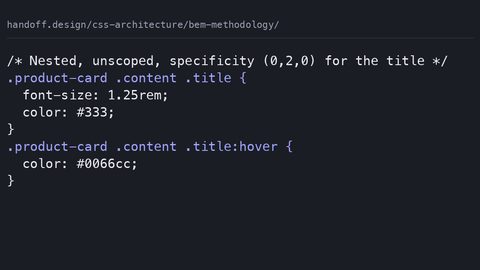 BEM methodology
BEM uses block, element, and modifier naming to keep CSS specificity flat and predictable. See it compared to unscoped nesting, and learn what @scope replaces.
BEM methodology
BEM uses block, element, and modifier naming to keep CSS specificity flat and predictable. See it compared to unscoped nesting, and learn what @scope replaces.
-
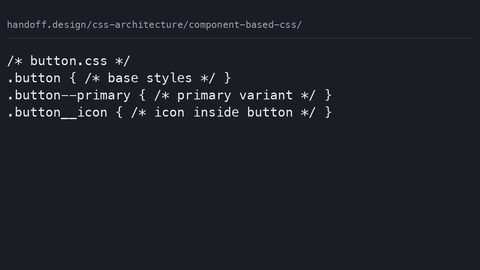 Component based CSS
Organise CSS by component using @scope, CSS Modules, or BEM. See the same button styled three ways and learn what each approach protects against.
Component based CSS
Organise CSS by component using @scope, CSS Modules, or BEM. See the same button styled three ways and learn what each approach protects against.
-
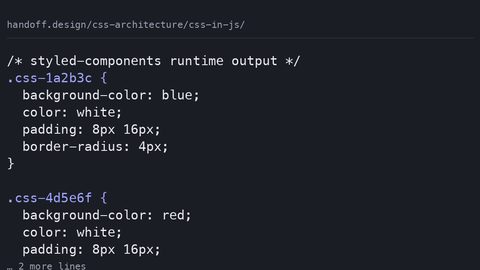 CSS in JavaScript
CSS-in-JS libraries inject styles at runtime or extract them at build time. See the actual CSS each approach emits and understand the performance cost.
CSS in JavaScript
CSS-in-JS libraries inject styles at runtime or extract them at build time. See the actual CSS each approach emits and understand the performance cost.
-
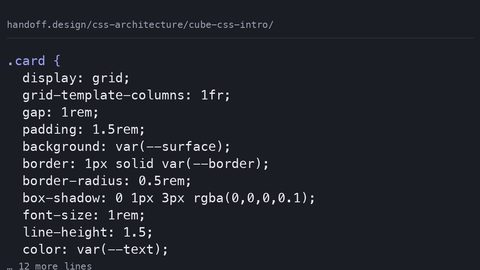 CUBE CSS intro
CUBE CSS separates layout composition from visual treatment so the cascade helps rather than hinders. See a component written both ways and understand the trade-off.
CUBE CSS intro
CUBE CSS separates layout composition from visual treatment so the cascade helps rather than hinders. See a component written both ways and understand the trade-off.
-
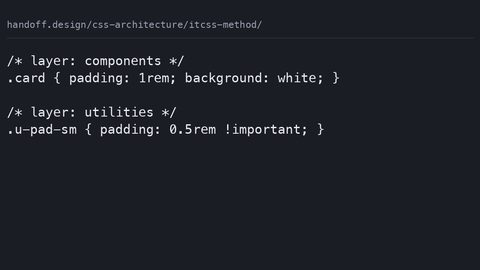 ITCSS method
ITCSS layers stylesheets from generic to specific so specificity is predictable. See a conflict resolved by layering versus selector hacks, and how @layer maps on.
ITCSS method
ITCSS layers stylesheets from generic to specific so specificity is predictable. See a conflict resolved by layering versus selector hacks, and how @layer maps on.
-
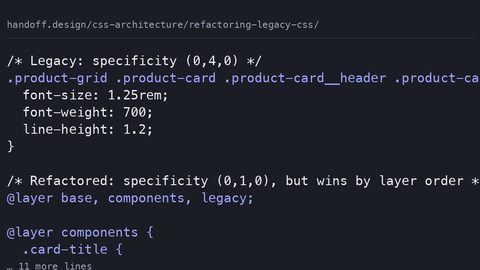 Refactoring legacy CSS
Refactor legacy CSS incrementally on a live site using cascade layers, coverage audits, and component-scoped custom properties without a full rewrite.
Refactoring legacy CSS
Refactor legacy CSS incrementally on a live site using cascade layers, coverage audits, and component-scoped custom properties without a full rewrite.
-
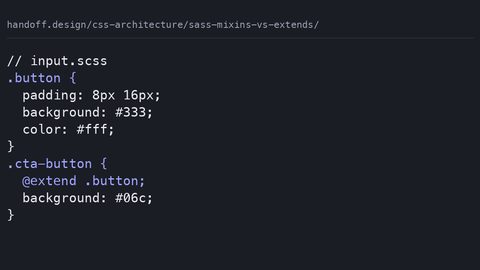 Sass mixins vs extends
Compare Sass mixins and extends by examining the actual compiled CSS output, source order risks, and why gzip makes code duplication less of a concern.
Sass mixins vs extends
Compare Sass mixins and extends by examining the actual compiled CSS output, source order risks, and why gzip makes code duplication less of a concern.
-
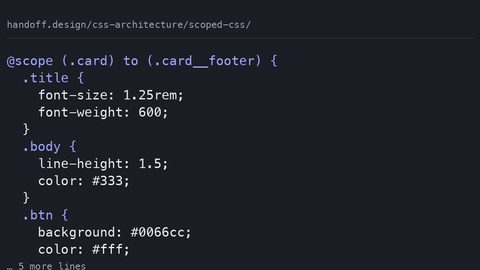 Scoped CSS
Compare @scope, CSS Modules, and Shadow DOM for scoping component styles, with complete code samples showing what each method protects against and costs.
Scoped CSS
Compare @scope, CSS Modules, and Shadow DOM for scoping component styles, with complete code samples showing what each method protects against and costs.
-
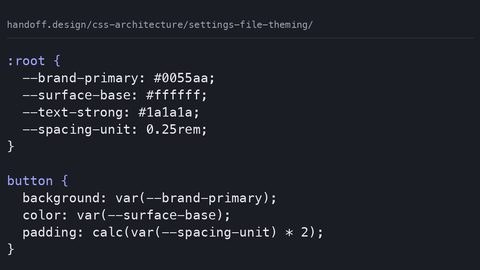 Settings file theming
Build a runtime theme system with CSS custom properties instead of Sass variables, with complete samples showing why build-time values freeze and cascade tokens don't.
Settings file theming
Build a runtime theme system with CSS custom properties instead of Sass variables, with complete samples showing why build-time values freeze and cascade tokens don't.
-
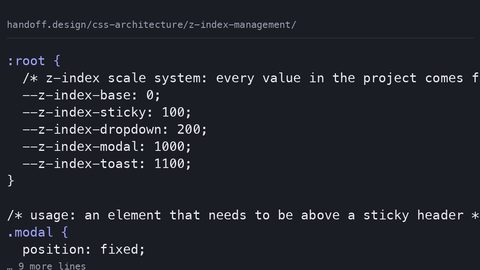 Z index management
Organise z-index values in large projects with a custom property scale system and explicit stacking context isolation to prevent the 9999 arms race.
Z index management
Organise z-index values in large projects with a custom property scale system and explicit stacking context isolation to prevent the 9999 arms race.
Read next
-
Z index management
Organise z-index values in large projects with a custom property scale system and explicit stacking context isolation to prevent the 9999 arms race.
-
Component based CSS
Organise CSS by component using @scope, CSS Modules, or BEM. See the same button styled three ways and learn what each approach protects against.
-
BEM methodology
BEM uses block, element, and modifier naming to keep CSS specificity flat and predictable. See it compared to unscoped nesting, and learn what @scope replaces.
-
Refactoring legacy CSS
Refactor legacy CSS incrementally on a live site using cascade layers, coverage audits, and component-scoped custom properties without a full rewrite.
-
Sass mixins vs extends
Compare Sass mixins and extends by examining the actual compiled CSS output, source order risks, and why gzip makes code duplication less of a concern.
-
ITCSS method
ITCSS layers stylesheets from generic to specific so specificity is predictable. See a conflict resolved by layering versus selector hacks, and how @layer maps on.