Building a Framework-Less CSS System with Modern Native Features
How modern CSS features—custom properties, @scope, @layer, Container Queries, and CSS Nesting—replace the utilities developers reach for frameworks to provide.
What The Browser Already Does
You are building a site and the third time you reach for a framework utility to center a div or make a two-column card, the thought arrives: what if the browser just did this? The answer is that most of what you used a framework for is now native CSS. The framework-less system modern native features make possible is not a compromise but a deliberate architecture. The cost is real: no pre-built widgets, no utility-class catalogue, no community theme. The replacement is a set of specs that ship in every engine and compose into something faster than any build step you have ever maintained. You are not giving up power; you are taking back the cascade.
Map What You Are Replacing
Before you write a line, map what framework utilities actually did for you. A utility class like .flex or .text-center is a named bundle of one or two declarations. A component class like .btn-primary bundles a dozen. The framework's real job is to give those bundles names and a cascade order. Modern CSS gives you the same machinery without the framework: custom properties for the tokens, @layer for the order, and CSS Nesting for the authoring convenience. The first architecture decision is not which framework to drop but which of these three, tokens, layers, or nesting, you will use to replace which bundle.
Design Tokens As The Source Of Truth
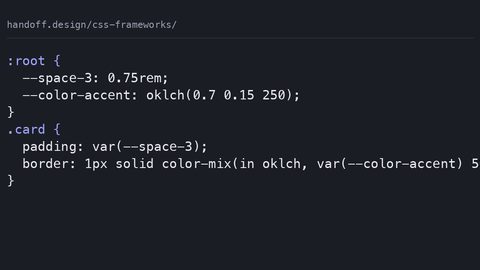
The design token system is where a framework-less system lives or dies. Define your scale as custom properties on :root, and register the types with @property so the browser can animate them and catch typos at parse time. A minimal token set is --space-2xs through --space-3xl, --color-bg and --color-text in oklch(), and a --font-sans stack. The utility classes then consume those tokens the same way Tailwind consumes its config, except the source of truth is a single CSS file that you can read top to bottom. Here is the complete token file, runnable as-is:
:root {
  --space-2xs: 0.25rem;
  --space-xs: 0.5rem;
  --space-sm: 0.75rem;
  --space-md: 1rem;
  --space-lg: 1.5rem;
  --space-xl: 2rem;
  --space-2xl: 3rem;
  --space-3xl: 4rem;

  --color-bg: oklch(0.98 0.01 250);
  --color-text: oklch(0.2 0.03 250);
  --color-accent: oklch(0.6 0.15 20);
  --color-accent-contrast: oklch(0.98 0.01 250);

  --font-sans: system-ui, -apple-system, sans-serif;
  --radius-sm: 0.25rem;
  --radius-md: 0.5rem;
}

@property --space-md {
  syntax: "<length>";
  inherits: true;
  initial-value: 1rem;
}

@property --color-accent {
  syntax: "<color>";
  inherits: true;
  initial-value: oklch(0.6 0.15 20);
}
This is not a theme file you reference from a config; it is the theme. The @property registration means the browser treats --space-md as a length, not an untyped string, so var(--space-md) can be animated and will fail loudly if you assign a unitless number.
The Cascade With @layer
Now the cascade. The reason frameworks win specificity wars is that they ship a reset, utilities, and components in one stylesheet and hope the order holds. With @layer, you name the buckets and the browser sorts them for you. The rule: later layers win over earlier ones, regardless of specificity inside them. That means you can write .btn in a component layer and .mt-4 in a utilities layer, and the utility always wins, not because you raised its specificity, but because the utilities layer comes after components. Here is the layer declaration, placed at the top of your main stylesheet:
@layer reset, tokens, base, utilities, components;
The order is the contract: reset first, then your token-defined base, then utilities that do one thing each, and finally components that combine several. If you ever need a component to override a utility, a button that should not have margin, move the component layer after utilities. That is the whole specificity story. Teach it to everyone who ever reaches for !important.
Scoped Styles Without BEM
The second framework feature you are replacing is the BEM modifier. .card--highlight and .btn__icon were invented because the cascade gave you no way to contain a selector to a subtree. @scope changes that. It scopes selectors to a DOM subtree, so .card__title is replaced by @scope (.card) to (.card__footer) { .title { ... } }. You write the component once, and the scoping is literally in the selector. Here is a complete component with scoped styles, no BEM, no class soup:
@layer components {
  @scope (.card) {
    :scope {
      display: grid;
      gap: var(--space-sm);
      padding: var(--space-md);
      border: 1px solid color-mix(in oklch, var(--color-text) 20%, transparent);
      border-radius: var(--radius-md);
    }

    h3 {
      font-size: 1.25rem;
      text-wrap: balance;
    }

    p {
      margin: 0;
    }

    a {
      color: var(--color-accent);
    }
  }
}
<article class="card">
  <h3>Example card</h3>
  <p>This content is scoped to the closest .card ancestor.</p>
  <a href="#">Read more</a>
</article>
The @scope rule accepts a limit as well, so you can say styles stop at a specific descendant. The fallback for browsers that do not support @scope, nothing Baseline, but older Safari, is to accept that the selector leaks, which is exactly what you had with BEM anyway.
Responsive Breakpoints With Container Queries
The third framework feature is the responsive breakpoint. You no longer need .col-md-6 because Container Queries let a component respond to its own container's size, not the viewport. The container is any element with container-type: inline-size, and the query responds to that container's inline dimension. This is the replacement for the entire column system. Here is the responsive behaviour, one component that reflows when its container is narrow:
@layer components {
  .card-grid {
    container-type: inline-size;
    display: grid;
    grid-template-columns: repeat(auto-fit, minmax(min(100%, 20rem), 1fr));
    gap: var(--space-md);
  }

  @container (min-width: 40rem) {
    .card {
      grid-column: span 2;
    }
  }
}
<div class="card-grid">
  <article class="card">...</article>
  <article class="card">...</article>
  <article class="card">...</article>
</div>
This is not a media query in disguise; it is tied to the component. Put two card-grids on a page, one in a sidebar and one in a main column, and each reflows independently. You must declare container-type on the parent, one line. The initial value of container-type is normal, so a missing declaration silently disables the query. The failure mode is forgetting the container.
The Cost Ledger
Now the practical cost ledger. A framework-less system saves you shipped bytes. A utility-first framework's CSS, even gzipped, is tens of kilobytes. A hand-written tokens.css, reset.css, utilities.css, and components.css is usually under 5KB before compression. But the saving is not free. You lose the pre-built widget library: a date picker or a modal that you would have downloaded is now a custom job. You write the selectors yourself, which means you own the specificity, the naming, and the documentation. And you make the initial architecture decisions, which properties become utilities, which are component-level, how many layers you need, with no framework to lean on. The trade is concrete: what you spend in setup you gain in maintenance. Your CSS has no dead code, no build step that ships unused utilities, and no framework upgrade path to migrate.
Who Should Not Go Framework-Less
Teams without dedicated CSS ownership. If your only CSS is what a developer writes under time pressure, and no one owns the design token file, a framework provides the guardrails you need. The moment you delete the framework, you are the framework: you own the reset, the browser support matrix, and the accessibility of every custom control. If that responsibility has no single pair of eyes, the system will drift into the same specificity hacks you were trying to escape.
The Failure Cases
The failure cases are where the research lives. Mistake one: shipping unminified utility CSS with hundreds of unused classes. Even with a framework, purge your utilities with a tool like Lightning CSS's dead-code elimination, or you are paying for bytes that never render. Mistake two: assuming @scope is a performance feature. It is a containment feature; the browser still matches selectors, and a deeply nested @scope chain can be slower than a flat selector. Measure, do not assume. Mistake three: forgetting that custom properties inherit. A token you set on a parent leaks to every child. That is a feature, but only if you deliberately use the cascade. Otherwise you will be debugging a --color-accent that turned everything orange.
Tooling
You do not need a bundler; you need a minifier and a linter. PostCSS with autoprefixer is dead weight when the syntax you use is already baseline. Use Lightning CSS to transpile future syntax for old browsers and to minify. Use Stylelint to enforce the naming and order you decided. The build step is a single command, not a config file with thirty plugins. The output is a CSS file you can read top to bottom, which is the entire point.
The Actual Limits
What is the actual limit of this system? The real gap: CSS cannot animate to auto, cannot sequence complex timelines, and cannot respond to JavaScript state without flipping custom properties. For those, a typeahead dropdown, a drag-and-drop sortable, a multi-step wizard, you reach for JavaScript, and that is correct. The CSS part is the animation definition and the state-driven class toggling; the state itself is a script's job. The same is true for view transitions: document.startViewTransition is a JavaScript call; the CSS is only the animation definition. The framework-less system does not replace your JavaScript; it replaces your CSS framework.
Browser Support And The Hard Edge
On browser support and the hard edge of shipping. The feature set is Baseline: nesting and :has() landed in 2023, container queries in 2023, @scope in 2024. But Baseline is a coarse statement. The real interop gap: style queries, which let you query the value of a custom property on a container, not just its size, shipped later. Container units (cqw/cqh) have known bugs in older Safari versions that shipped container queries. The accepted fallback for @scope is to accept the leak. For :has() there is no pure-CSS fallback; feature-detect with @supports selector(:has(*)) or move the logic to a class. Check support at caniuse before committing. The pattern for safe usage is the @supports guard, tested for the exact syntax you need:
@supports (@scope (.x) to (.y)) {
  /* scoped styles */
}

@supports selector(:has(*)) {
  /* :has() styles */
}
Test the feature, not the browser name. The cost of a failure is a broken layout, not a missing progressive enhancement, so be conservative in production.
The One Thing That Will Sink It
The one thing that will sink this system faster than anything is a team that treats it as a set of strict rules rather than a vocabulary. The cascade is not your enemy; the cascade is the most efficient styling system ever shipped. The mistake is fighting it with specificity hacks or !important, which is precisely what @layer and @scope exist to replace. If you find yourself writing a selector like .card .card__title--featured, you have not gone framework-less; you have rebuilt the framework, badly, by hand.
The Honest Caveat
The honest caveat, to end on: this system is not for every team, and the decision is not only technical. It is a bet on your team's ability to own the cascade, the tokens, and the accessibility of every control. If that bet pays off, the maintenance cost is a fraction of a framework's upgrade path. If it fails, you have replaced a well-documented dependency with a bespoke one that only your team understands. Write the tokens, document the layers, and keep the build step to a single command, and you will have a system that is faster, smaller, and more yours than anything a framework ships. The cost is the discipline, and that is the one thing no framework can give you.
More in this guide
CSS Frameworks Compared: What Each One Costs in Bytes and ControlGetting Started with Bootstrap 5: Shipped Bytes, Build Step, and the Class of Customisation It Makes HardHow to Customize CSS Frameworks Without Fighting the Generated Output.